Open files in VS Code and Cursor / Office files
View a PowerPoint .pptx file in VS Code
VS Code has no slide viewer, so install the free PPTX Viewer extension and click the .pptx file. You get slide thumbnails, speaker notes, search across the deck and a full-screen Present mode. It needs no LibreOffice and uploads nothing. The deck reloads when a script such as python-pptx saves it again.
Free, MIT license. Extension ID zovo.pptx-slide-viewer, version 0.4.0. Needs VS Code 1.90.0 or newer.
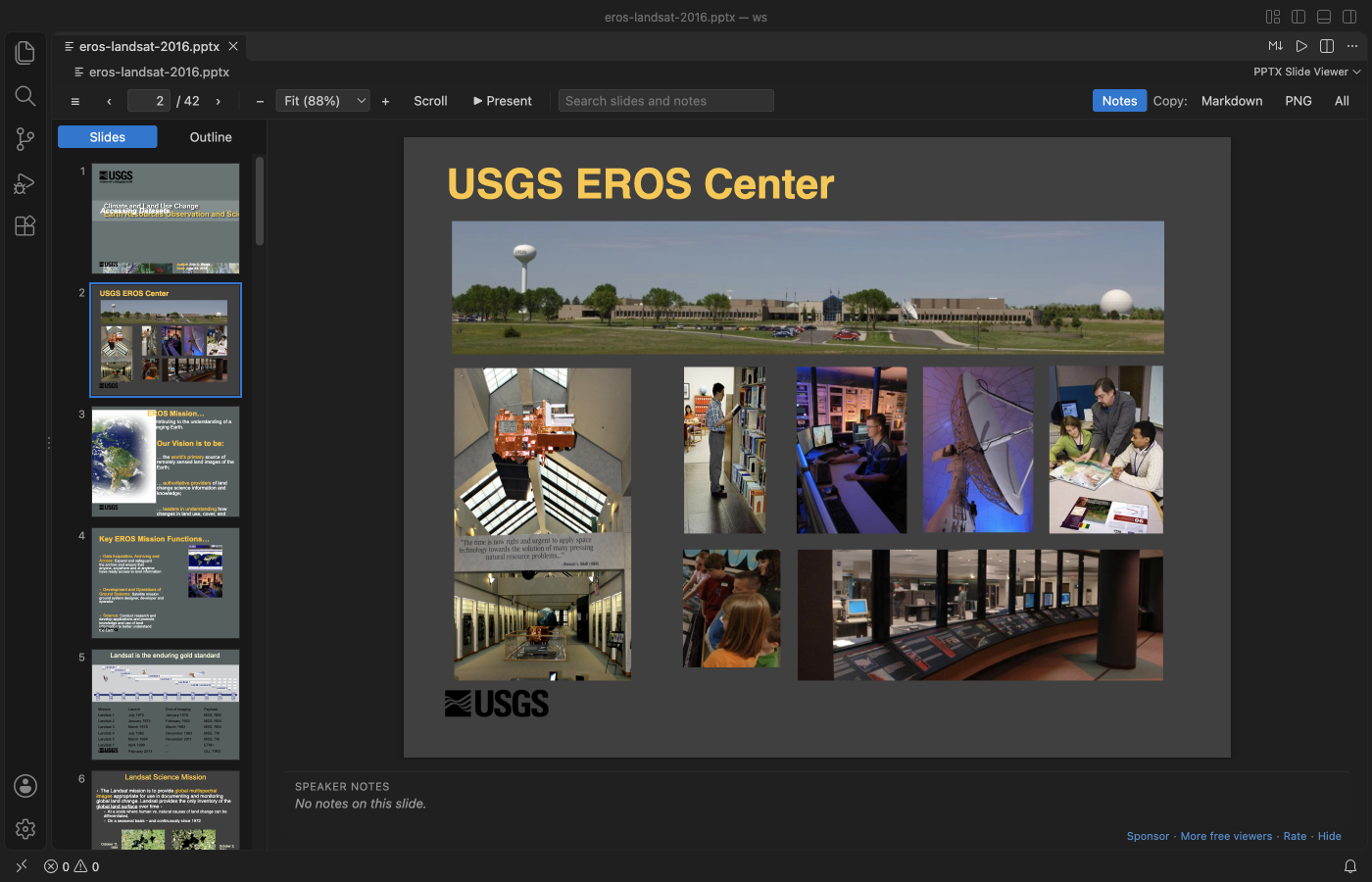
Steps in VS Code
- Install PPTX Viewer from the Marketplace, or press Ctrl+P (Cmd+P on macOS) and run
ext install zovo.pptx-slide-viewer. - Click a
.pptx,.ppsx,.potx,.pptmor.pptfile. - Press Ctrl+F (Cmd+F on macOS) to search titles, bullets, tables and notes.
- Run "PPTX: Present Slides (Full Screen)" and use the arrow keys.
- Copy a slide as a PNG picture, or copy one slide or the whole deck as Markdown.
Steps in Cursor, Windsurf or VSCodium
- Open the Extensions view with Ctrl+Shift+X (Cmd+Shift+X on macOS).
- Search for
zovo.pptx-slide-viewerand click Install. Cursor, Windsurf and VSCodium install from Open VSX, where it is published aszovo/pptx-slide-viewer. - If your editor has no gallery, download the .vsix from the Open VSX page and run "Extensions: Install from VSIX...".
- Then use it the same way as in VS Code.
What PPTX Viewer handles
- Charts drawn from the saved numbers, and SmartArt when PowerPoint saved its picture copy.
- In the README test, a 197 MB deck with 42 slides showed its outline in under a second and its first slide in about 5 s.
- Works over Remote SSH, WSL, Dev Containers and Codespaces.
What it does not do
- It's a viewer. It doesn't edit or export to PDF.
- Video, audio, ink and embedded objects are not drawn. Old .ppt files show their text only.
- Missing fonts are replaced (Carlito for Calibri), so some slides can look slightly different. Present mode has no presenter view.
Other options
- PPTX Viewer (
astx-jp.vscode-pptx-viewer, 18,073 installs, on Open VSX). Another viewer for .pptx, .ppsx and .pptm files, also on Open VSX. - PPTX Viewer Pro (LibreOffice) (
PptxViewerPro.pptx-viewer-pro, 22,645 installs, not on Open VSX). Its description says it converts slides to images with LibreOffice, so LibreOffice must be installed. - Office Viewer (
cweijan.vscode-office, 1.6 million installs, on Open VSX). Views Word, Excel and PowerPoint files.
Install counts and Open VSX status were checked on 8 November 2026. Descriptions in quotes are the extensions' own.
Questions
Can I preview slides made by python-pptx while I code?
Yes. Keep the deck open. When your script saves the file, the viewer reloads it within about a second.
Does it need LibreOffice or PowerPoint?
No. The extension reads the file itself, including old .ppt files (as text).
Can I export the deck to PDF?
No. You can save single slides as PNG pictures.
More about PPTX Viewer
Read the PPTX Viewer page for every feature and setting, or the source code on GitHub.
Related guides
- Open a .docx Word file in VS Code
- Read PDFs in dark mode in VS Code
- Open a PDF in Cursor
- Open an Excel .xlsx file in VS Code
Support this work
If this extension saves you time, you can support the work on GitHub Sponsors. Monthly tiers start at $5, and one-time tiers start at $15. Sponsorship is optional, and the tool works the same without it.