Open files in VS Code and Cursor / Code and APIs
Auto rename HTML tags in VS Code
VS Code can do this for HTML by itself: turn on editor.linkedEditing (open Settings and search for "linked editing"). Then change <div> and </div> follows. For more languages (Vue, Svelte, Astro, PHP, Blade, Twig, ERB, Markdown and others), plus auto close and a box around the matching tag, install the free Tag Auto Rename & Close Tag Sync by Zovo. It uses the same linked editing, so one undo brings both tags back.
Free, MIT license. Extension ID zovo.zovo-auto-rename-tag, version 0.2.3. Needs VS Code 1.90.0 or newer.
This guide is also in Deutsch, Español, Français, Italiano, 日本語, Polski, Português (Brasil), 简体中文.
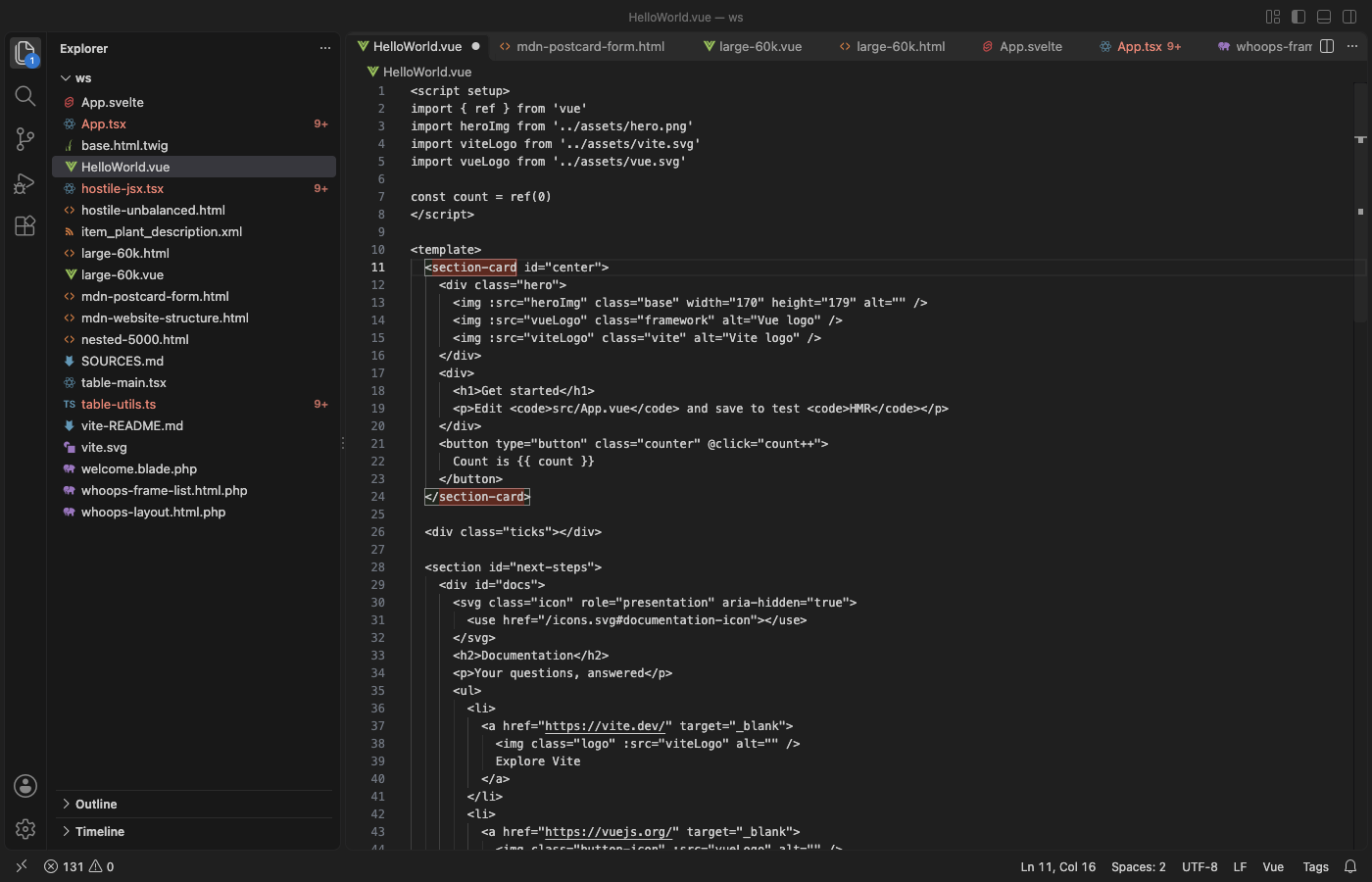
Steps in VS Code
- Install Tag Auto Rename & Close Tag Sync from the Marketplace, or press Ctrl+P (Cmd+P on macOS) and run
ext install zovo.zovo-auto-rename-tag. - Open an HTML, JSX, Vue, PHP or other template file and change the name in an opening tag. The closing tag changes as you type.
- Type
>after an opening tag and the closing tag appears after the cursor. Type</and the name of the open element is filled in. - Put the cursor on a tag and both tags get a box. Right-click for Go to Matching Tag and Select Tag Content.
- Click the Tags item in the status bar to see what is on for this file, or to turn the extension off for one language.
Steps in Cursor, Windsurf or VSCodium
- Open the Extensions view with Ctrl+Shift+X (Cmd+Shift+X on macOS).
- Search for
zovo.zovo-auto-rename-tagand click Install. Cursor, Windsurf and VSCodium install from Open VSX, where it is published aszovo/zovo-auto-rename-tag. - If your editor has no gallery, download the .vsix from the Open VSX page and run "Extensions: Install from VSIX...".
- Then use it the same way as in VS Code.
What Tag Auto Rename & Close Tag Sync handles
- Rename and close in HTML, JSX and TSX, Vue, Svelte, Astro, PHP, Blade, Twig, Jinja, ERB, Handlebars, XML, SVG and Markdown.
- Void tags such as
br,imgandinputare never paired or closed. TypeScript generics such asuseState<string>()are not treated as tags. - Comments, strings,
<script>and<style>bodies and template blocks such as{{ }},{% %}and<?php ?>are skipped. - Closing a tag takes about 6 ms in a 10,000-line file. Files over 1 MB or 50,000 lines get no live rename or close, and the status bar says so.
- No ads, tips or notifications, and no network requests.
What it does not do
- In JSX and TSX, TypeScript closes tags itself, so this extension leaves closing to it there. TypeScript's closing tag is a separate undo step.
- When the Vue, Svelte, Astro or Red Hat XML extension is installed, that extension closes tags in its language.
- Tags inside Svelte or Astro
{...}expressions are not renamed. - If the older Auto Rename Tag extension is also on, both can edit the same tag. Keep one of them.
In JetBrains IDEs (IntelliJ IDEA, PyCharm, WebStorm, CLion and others)
- Built in: simultaneous tag editing. JetBrains IDEs change the closing HTML or XML tag while you edit the opening one, with no plugin. The switch is in Settings, Editor, General, Smart Keys, HTML/CSS. Zovo has no JetBrains plugin for this.
Other options
- Auto Rename Tag (
formulahendry.auto-rename-tag, 26.2 million installs, on Open VSX). Its own description: "Auto rename paired HTML/XML tag". The most installed tag rename extension for VS Code. - Auto Complete Tag (
formulahendry.auto-complete-tag, 3.4 million installs, not on Open VSX). Its own description: "Extension Packs to add close tag and rename paired tag automatically for HTML/XML". - Built-in linked editing. Set
"editor.linkedEditing": truein your settings. With no extension, it renames the matching tag in HTML, and in JSX and TSX with a recent TypeScript.
Install counts and Open VSX status were checked on 9 November 2026. Descriptions in quotes are the extensions' own.
Questions
Does VS Code rename the closing tag by itself?
Yes, in HTML, once you turn on editor.linkedEditing. It is off by default. This extension turns it on for the languages it supports and finds the matching tag in each of them.
Does undo still work?
Yes. Your edit and the change to the matching tag are one undo step, because the rename uses VS Code's own linked editing.
Does it work in Cursor?
Yes. Cursor, Windsurf and VSCodium install it from Open VSX as zovo/zovo-auto-rename-tag.
More about Tag Auto Rename & Close Tag Sync
Read the Tag Auto Rename & Close Tag Sync page for every feature and setting, or the source code on GitHub.
Related guides
- Auto Rename Tag & Close Tag Sync on the VS Code Marketplace (also on Open VSX). Renames the matching HTML, JSX or Vue tag as you type.
- Find unclosed tags in all files
- Open a SARIF file in VS Code
- Preview a Swagger or OpenAPI file in VS Code
- Preview an HTML file with its CSS and images in VS Code
Support this work
If this extension saves you time, you can support the work on GitHub Sponsors. Monthly tiers start at $5, and one-time tiers start at $15. Sponsorship is optional, and the tool works the same without it.
Need your format supported?
Open a format request with a sample file, and I reply there whether it can be done. For USD 299 once, through this GitHub Sponsors tier, I add your file format or a missing feature to this extension, with tests, within 7 days.