Open files in VS Code and Cursor / Binary, network and hardware
Calculate the checksum of a file
For a whole file the built-in commands are free and enough: certutil -hashfile file SHA256 on Windows, shasum -a 256 file on macOS and sha256sum file on Linux. When you need the checksum of part of a file, such as a firmware section, or six algorithms at once, Hex Viewer in VS Code has a Checksums tool: CRC-32, Adler-32, MD5, SHA-1, SHA-256 and SHA-512 of the selection or the file in one pass, so a 4 GB file works. It has 3 free tries, then Zovo Pro is USD 19 once.
Free, MIT license. Extension ID zovo.zovo-hex-viewer, version 0.3.7. Needs VS Code 1.90.0 or newer.
Steps in VS Code
- Install Hex Viewer from the Marketplace, or press Ctrl+P (Cmd+P on macOS) and run
ext install zovo.zovo-hex-viewer. - On Windows, run
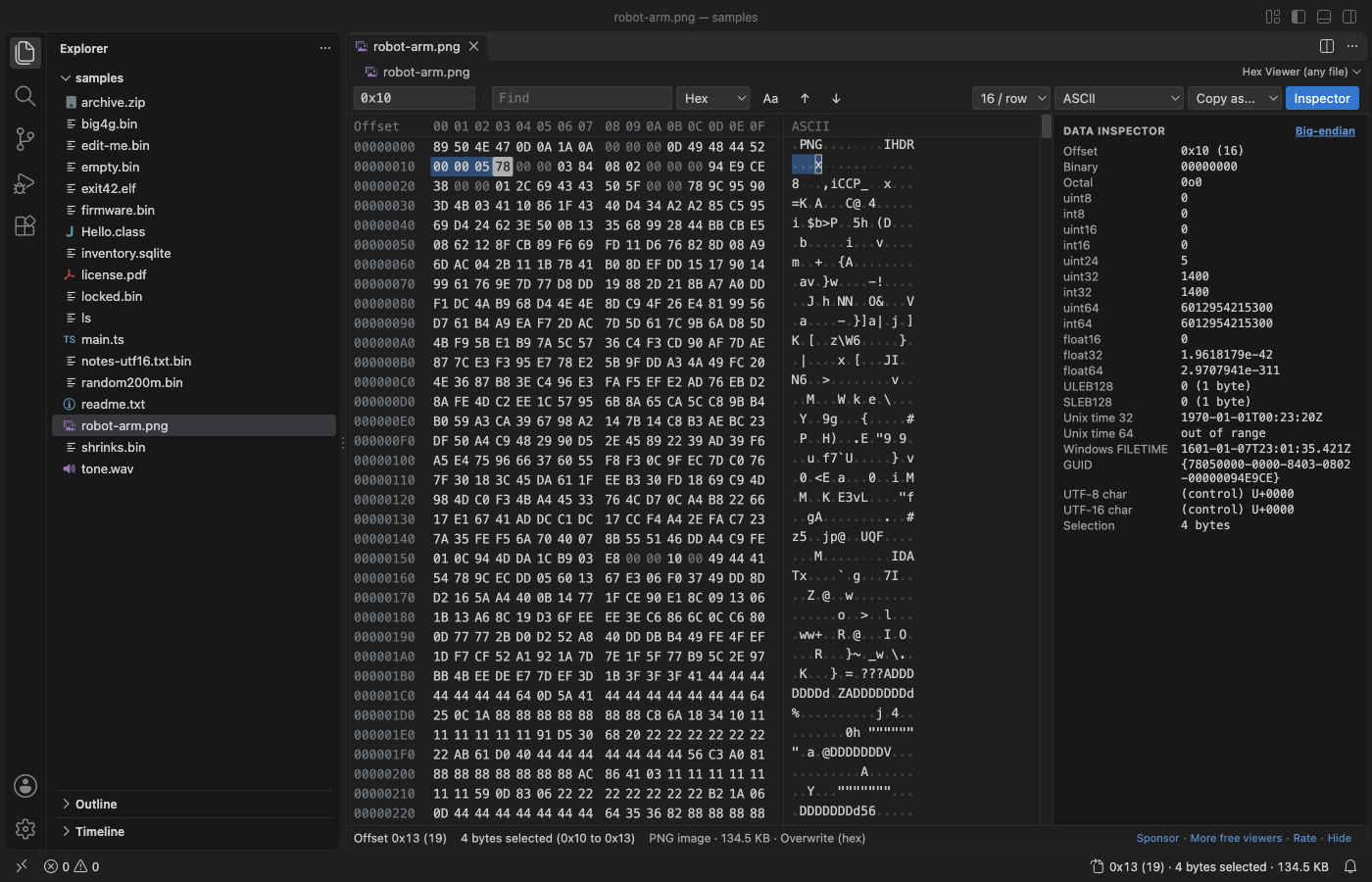
certutil -hashfile file.bin SHA256. On macOS,shasum -a 256 file.bin. On Linux,sha256sum file.bin. All free. - To look at the bytes, click the file in VS Code and pick Hex Viewer. Viewing, editing, find and the data inspector are free.
Where Zovo Pro saves time
Viewing, find, go to offset, copy as, the data inspector, editing bytes and the side-by-side compare are free in Hex Viewer.
Select the bytes of a header or a section and get all six checksums of just that range, or right-click several files in the Explorer. Pick a value to copy it. Other Hex Viewer Pro tools: nested structure view, bookmarks with notes, a compare report, find bytes in many files and an entropy map.
With Checksums (Zovo Pro)
- Select bytes in Hex Viewer, or select nothing for the whole file.
- Click "Checksums..." under the data inspector, or run "Hex Viewer Pro: Checksums of Selection or File".
- For files that are not open, right-click them in the Explorer and pick "Checksums of File (Pro)".
- Pick a value to copy it. A try counts when the values show.
Checksums works 3 times on your computer before it asks for a license, and a try counts only when you get a result. Opening a file shows no popup and no countdown.
Zovo Pro costs USD 19 once. It is not a subscription, and it turns on the Pro tools in every Zovo extension, not only Hex Viewer. After a card payment (Stripe) your license key shows on the next page. In VS Code, run "Zovo Pro: Enter Zovo Pro license key" from the Command Palette and paste it. The key is checked on your computer, with no network call. With GitHub Sponsors, pick the "$19 one time" tier, then run "Zovo Pro: I already paid: unlock with GitHub Sponsors" and sign in with the same GitHub account. With PayPal, send USD 19 with "Zovo Pro" in the note and the key comes by email within a day.
A team of 5: USD 59 once, by card or by PayPal. Every rule and every Pro tool is on the Zovo Pro page.
Steps in Cursor, Windsurf or VSCodium
- Open the Extensions view with Ctrl+Shift+X (Cmd+Shift+X on macOS).
- Search for
zovo.zovo-hex-viewerand click Install. Cursor, Windsurf and VSCodium install from Open VSX, where it is published aszovo/zovo-hex-viewer. - If your editor has no gallery, download the .vsix from the Open VSX page and run "Extensions: Install from VSIX...".
- Then use it the same way as in VS Code.
What Hex Viewer handles
- CRC-32, Adler-32, MD5, SHA-1, SHA-256 and SHA-512.
- A selection or the whole file.
- Files of 4 GB in one pass.
What it does not do
- For a whole file in a script, the built-in commands are simpler.
Other options
- certutil, shasum, sha256sum. Built into Windows, macOS and Linux. Free.
- Get-FileHash. PowerShell:
Get-FileHash file.bin -Algorithm SHA256.
Install counts and Open VSX status were checked on 11 November 2026. Descriptions in quotes are the extensions' own.
Questions
Which checksum should I use?
SHA-256 to check a download. CRC-32 is common in file formats and firmware. MD5 and SHA-1 are fine for matching files, not for security.
Is the file uploaded?
No. Hex Viewer reads it on your computer.
Does it work in Cursor or Windsurf?
Yes. Cursor, Windsurf and VSCodium install extensions from Open VSX. Search for the extension in their Extensions view and install it there.
More about Hex Viewer
Read the Hex Viewer page for every feature and setting, or the source code on GitHub.
Related guides
- Hex Viewer & Binary Viewer on the VS Code Marketplace (also on Open VSX). Opens any file as hex, edits bytes and compares two files, even files of many GB.
- Use a hex editor in VS Code
- Open a binary file in VS Code
- Read binary files with templates in a VS Code hex editor
- A 010 Editor alternative inside VS Code
Zovo Pro and support
Zovo Pro: USD 19 once, every Zovo viewer. It turns on the Pro tools in this extension and in the other Zovo extensions you use. The free features stay free.
After a card payment your license key shows on the next page. Paste it with the command "Zovo Pro: Enter a key".
You can also support the work with no Pro:
Need your format supported?
Open a format request with a sample file, and I reply there whether it can be done. For USD 299 once, through this GitHub Sponsors tier, I add your file format or a missing feature to this extension, with tests, within 7 days.