Hex Viewer & Binary Viewer, Hex Editor (Large Files)
Hex Viewer & Binary Viewer, Hex Editor (Large Files), a VS Code extension by Zovo
Hex viewer, binary viewer and hex editor for VS Code that opens files of any size (4 GB and more) in under a second. Insert and delete bytes, compare two files byte by byte, go to offset, find hex or text, a data inspector, copy as C array or base64. Free, works offline.
Free, MIT license. Needs VS Code 1.90.0 or newer. Extension ID zovo.zovo-hex-viewer, version 0.3.7.
Free, no sign-in, works offline. See and edit the bytes of any file in VS Code, from a 0-byte file to a 4 GB disk image. Insert and delete bytes, compare two files byte by byte, go to an offset, search, read values in the data inspector and copy as hex, C array, Python bytes or base64.
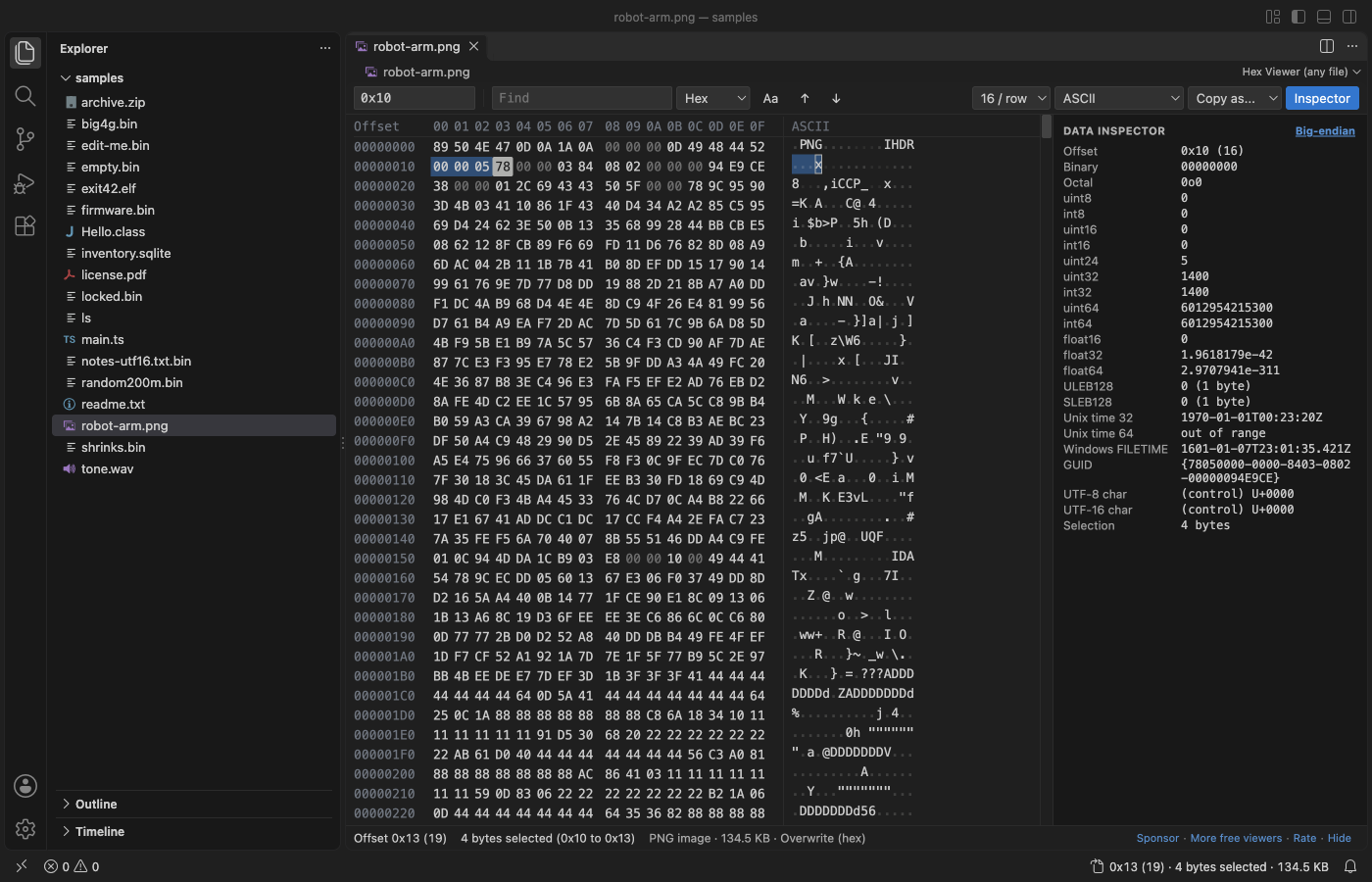
Real output from VS Code 1.142 on macOS. The file is robot-arm.png. scripts/e2e-vscode.mjs installed the packaged extension in a clean VS Code profile, opened the file and saved the window through the debug port.
- Big files open at once. Only the rows on screen are read, in 64 KB pieces. In the release check a 4 GB file opened in 0.6 s, Ctrl+End went to its last byte, and the extension host used 127 MB.
- You can get anywhere. Go to an offset in hex or decimal, or jump by
+0x100or-16. Find hex bytes with??wildcards, text, or UTF-16 text. The status bar shows the offset of the cursor. - Editing stays put. Type two hex digits to overwrite a byte, or press Insert to add bytes. Delete, cut and paste work on any selection. Every step can be undone.
- Compare two files. Select two files in the Explorer and pick "Compare in Hex Viewer". F7 jumps to the next difference, also in two 4 GB files.
Quick start
- Install Hex Viewer.
- Right-click any file in the Explorer and pick "Open in Hex Viewer". Files that end in
.bin,.dat,.img,.rom,.dmpor.dumpopen in Hex Viewer when you click them.
For a file that is already open, use "Open in Hex Viewer" in the editor title menu (...) or the tab's right-click menu, or "Reopen Editor With...". Text files such as .txt, .ts and Intel .hex files still open in the text editor. "Hex Viewer: Get Started" in the Command Palette opens a short tour.
Questions people ask
Is Hex Viewer & Binary Viewer, Hex Editor (Large Files) free?
Yes. Hex Viewer & Binary Viewer, Hex Editor (Large Files) is free and MIT licensed.
How do I install Hex Viewer & Binary Viewer, Hex Editor (Large Files)?
Click "Install in VS Code" above, or search for zovo.zovo-hex-viewer in the Extensions view.
Large files
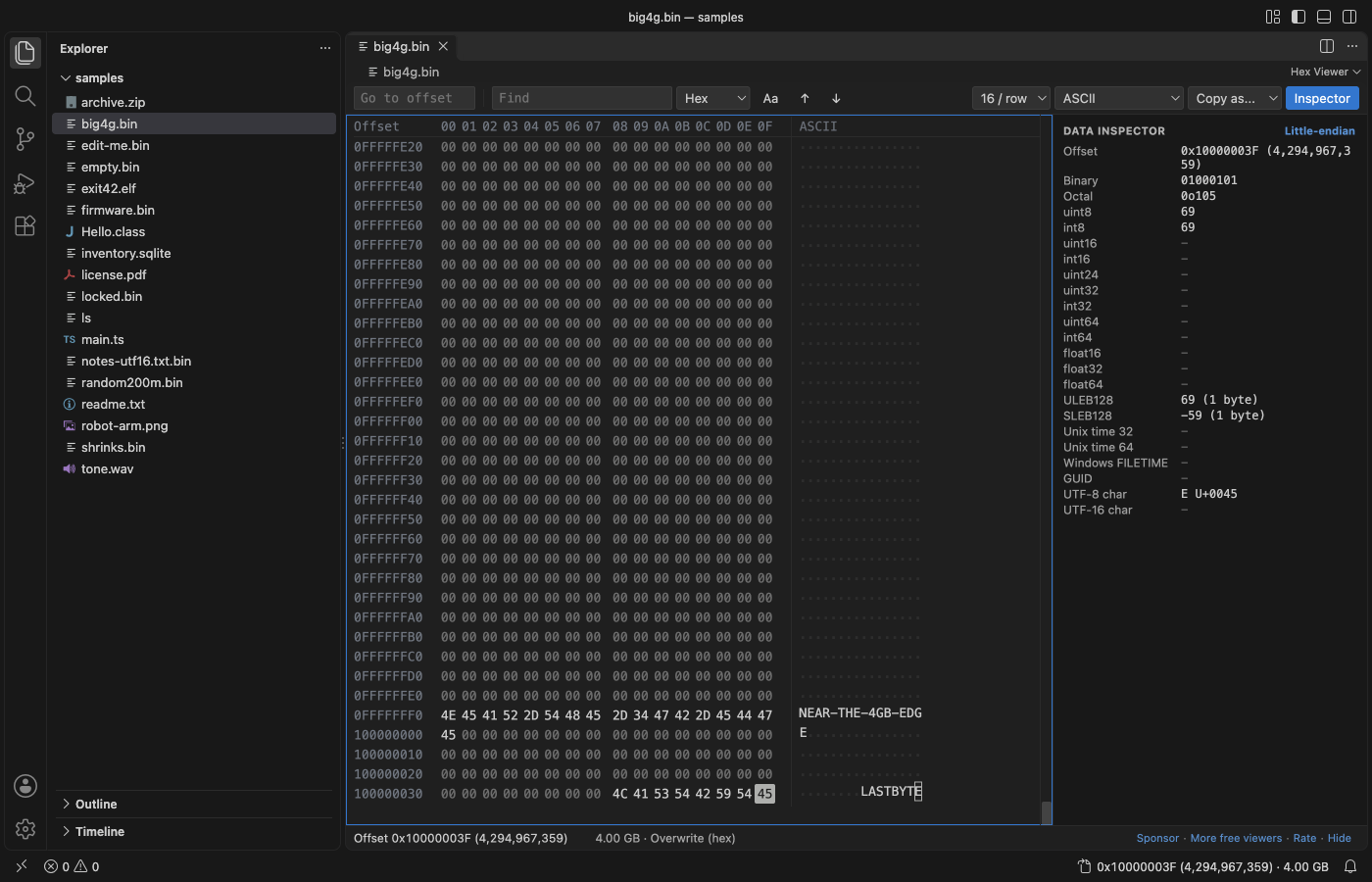
- Local files of any size open. The extension never reads the whole file: it reads the rows you look at, and Find reads the file in 1 MB pieces.
- The scroll bar is drawn by the viewer, so it reaches the last row of a 4 GB or larger file. Drag it, use the mouse wheel, Page Up and Page Down, or Ctrl+Home and Ctrl+End.
- If the file changes on disk while it is open, the view shows the new bytes. If it got shorter, a message gives the old and new size and the view moves to the new end. Nothing crashes and nothing goes blank.
- Empty files and files you have no permission to read show a plain message instead of a blank tab.
- Files on remote and virtual file systems open up to 256 MB (setting
hexViewer.maxRemoteMB).
Find, go to and copy
| Action | Keys | Notes |
|---|---|---|
| Go to offset | Ctrl+G (Cmd+G) | 0x1F40, 1F40h, 8000, +0x100, -16, end, end-15. Also the box at the left of the toolbar, and a click on the status bar. |
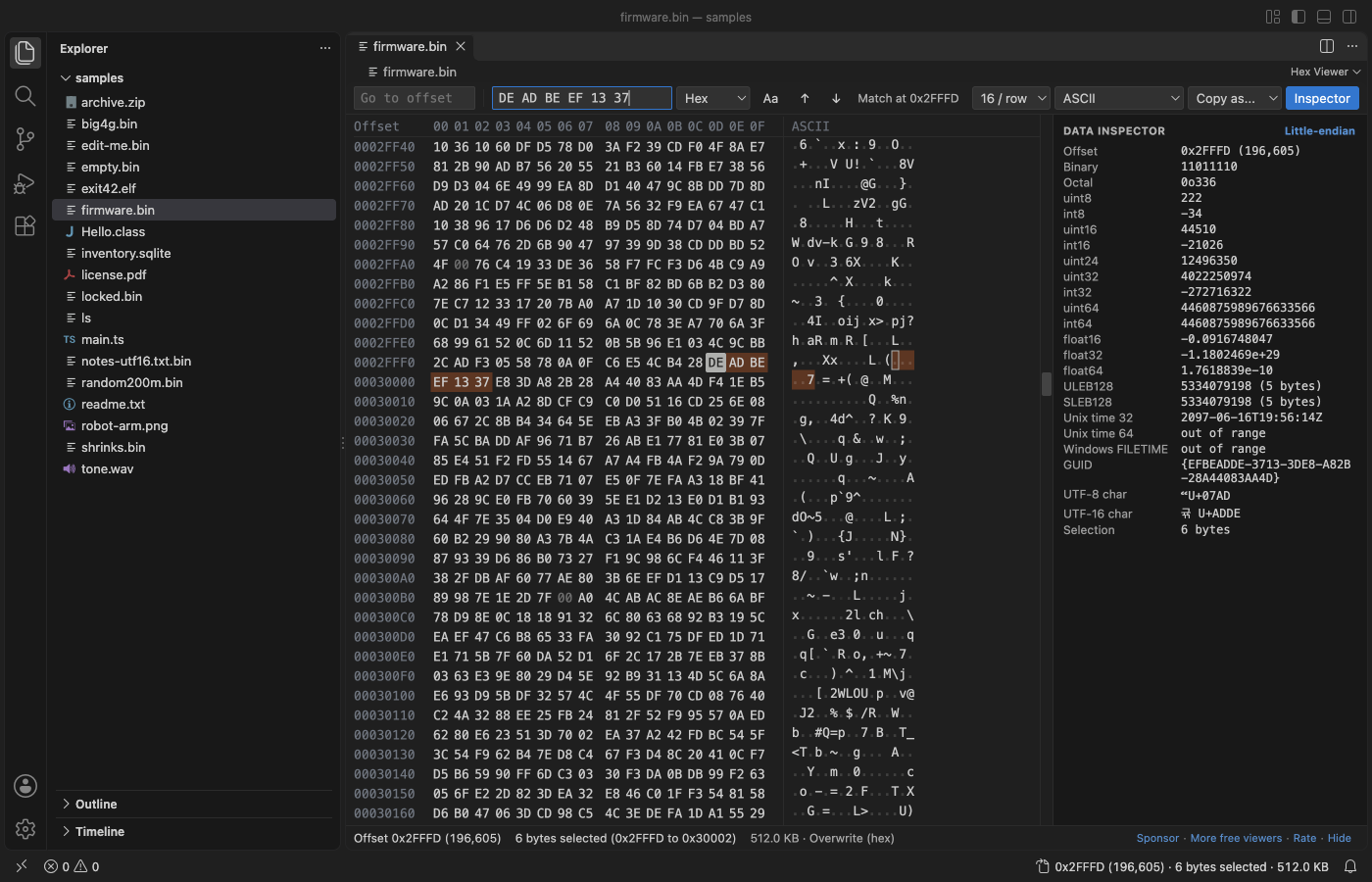
| Find | Ctrl+F (Cmd+F) | Hex 50 4B 03 04 with ?? for any byte, text (with Aa to ignore case) or UTF-16. Unsaved edits are found too. |
| Next, previous match | Enter, Shift+Enter, F3, Shift+F3 | The search goes on from the start after the end. Esc stops a long search. |
| Copy | Ctrl+C (Cmd+C) | Hex with spaces from the hex column (setting hexViewer.copyFormat), text from the text column |
| Copy as... | toolbar | Hex, hex with spaces, C array, Python bytes, base64, UTF-8 text, Latin-1 text. Up to 32 MB. |
| Select | Shift + arrows, Page Up, Page Down, Home, End; drag; Ctrl+A | |
| Switch column | Tab | Between the hex and the text column |
Data inspector
The panel on the right reads the bytes at the cursor, or at the start of the selection, as:
- the offset in hex and decimal, binary and octal
- uint8, int8, uint16, int16, uint24, uint32, int32, uint64, int64
- float16, float32, float64
- ULEB128 and SLEB128, with their length
- Unix time (32 and 64-bit) and Windows FILETIME
- a GUID, and a UTF-8 and UTF-16 character with its code point
Click "Little-endian" to switch to big-endian. In the release check, the values at 5 offsets were the same as Python's struct and uuid modules.
Edit bytes
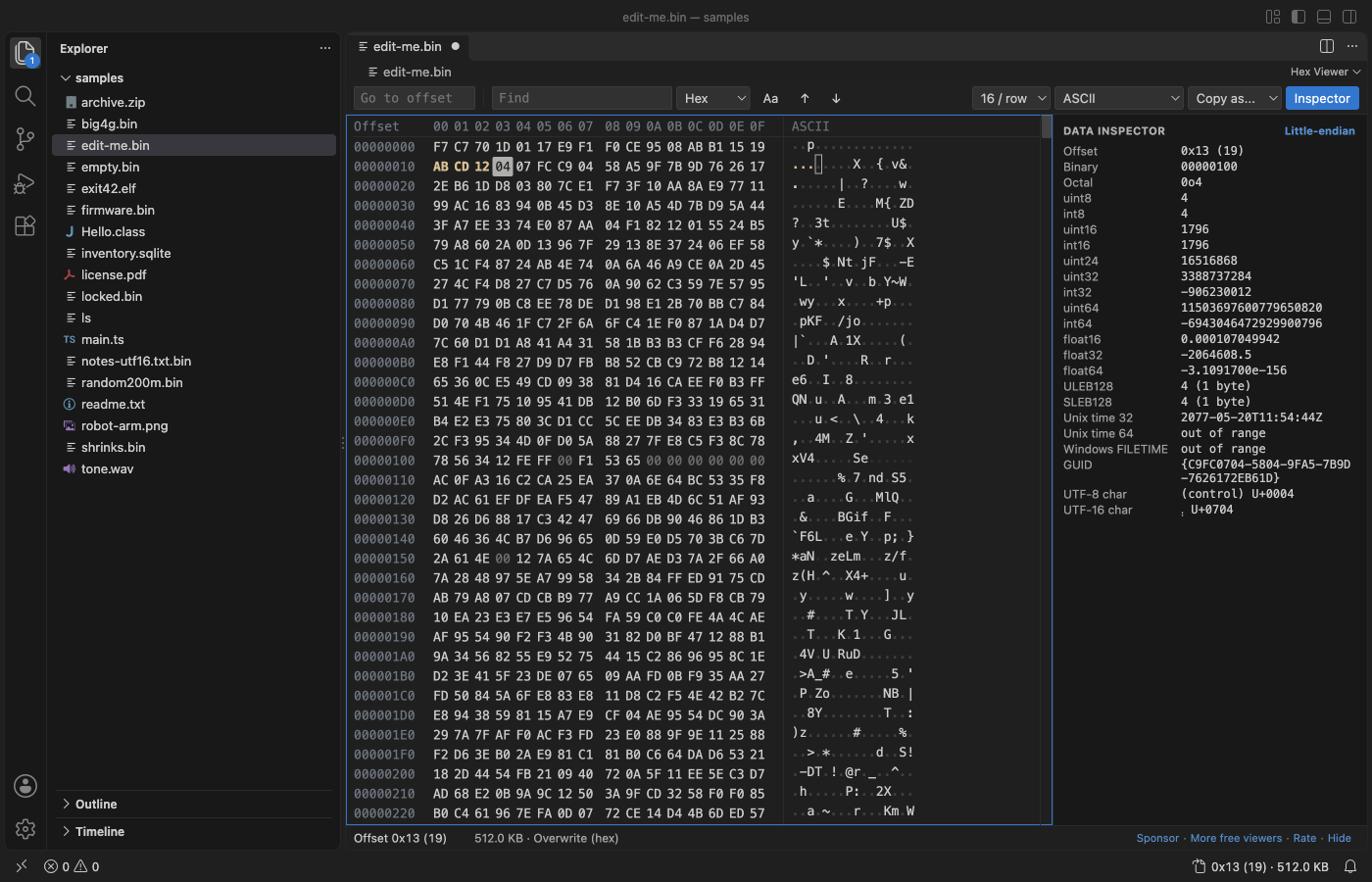
- Type hex digits in the hex column, or characters in the text column. New bytes are colored until you save.
- Overwrite or insert. The status line shows the mode; press Insert or click the mode to switch. In insert mode, typed and pasted bytes go in before the cursor and the file grows. The cursor can sit one place past the last byte, to add bytes at the end.
- Delete removes the selected bytes, or the byte at the cursor. In insert mode Backspace removes the byte before the cursor. Ctrl+X cuts (copies, then removes) the selection.
- Paste hex (
4A 5B 00,0x4A, 0x5Bor\x4a\x5b) with Ctrl+V. In insert mode a paste replaces the selection. - "Hex Viewer: Insert Bytes..." adds a run of bytes at the cursor, such as
16,0x100 FFor4 x 00. - Ctrl+Z undoes, Ctrl+Shift+Z redoes, and Ctrl+S saves. Inserting into or deleting from a 4 GB file takes no time, because only a list of changes is kept until you save.
- Safe save. If the size stays the same, only the changed bytes are written, so a save on a 4 GB file is fast. If the size changes, Hex Viewer writes a new copy in the same folder and then puts it in place of the old file, so a full disk or a crash never leaves a half-written file. Before that, it checks the free disk space and says how much it needs. A symbolic link stays a link. Save As writes a full copy.
- Read-only files open as view only. Set
hexViewer.readOnlyto turn editing off for every file.
Compare two files
- Select two files in the Explorer, right-click and pick "Compare in Hex Viewer". With one file, the command asks for the second one. The "Compare..." button in the viewer toolbar compares the open file with another.
- The two files show side by side with one offset column. Differing bytes are colored in both. Bytes past the end of the shorter file count as different.
- F7 goes to the next difference and Shift+F7 to the previous one (also the buttons in the toolbar). A run of differing bytes counts as one area, so F7 skips to the next area.
- The toolbar counts every differing byte and area, and the scroll bar marks where they are. In the release check, two 4 GB files with one differing byte 64 bytes from the end were counted in 2.1 s (VS Code 1.90.2 on an Apple silicon Mac), with the extension host at 96 MB.
- The compare reads the files as saved on disk, 1 MB at a time from each file.
Display
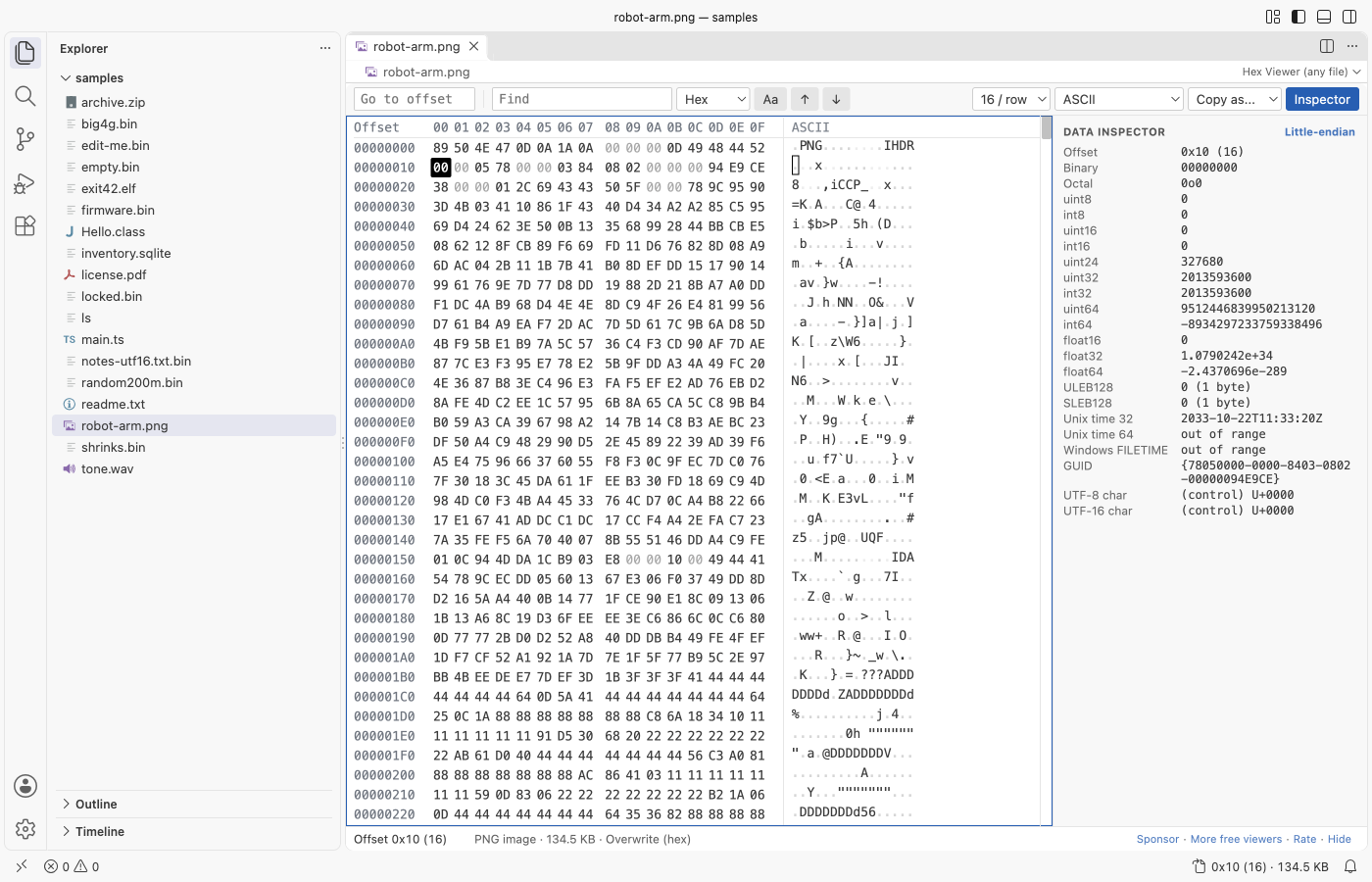
- 8, 16, 24, 32, 48 or 64 bytes per row.
- Text column in ASCII, Latin-1, UTF-8, UTF-16 LE, UTF-16 BE or EBCDIC (code page 037). Control bytes show as a dot or as symbols such as ␀ and ␊.
- The file type from its first bytes in the status line: PNG, JPEG, ZIP, PDF, SQLite, ELF, Mach-O, PE, Java class, WAV, WebAssembly and more.
- The editor font, the theme colors in dark and light themes, and the editor font size (or
hexViewer.fontSize). - Screen readers hear the offset and value of the byte under the cursor.
Settings
| Setting | Default | What it does |
|---|---|---|
hexViewer.bytesPerRow | 16 | Bytes in each row when a file opens |
hexViewer.encoding | ascii | Text column encoding when a file opens |
hexViewer.controlChars | dot | Show control bytes as a dot or as symbols |
hexViewer.uppercase | true | 4A or 4a |
hexViewer.fontSize | 0 | Font size of the byte grid; 0 uses the editor font size |
hexViewer.copyFormat | hexSpaced | What Ctrl+C copies from the hex column |
hexViewer.littleEndian | true | Byte order of the data inspector |
hexViewer.showInspector | true | Show the data inspector when a file opens |
hexViewer.readOnly | false | Turn off byte editing |
hexViewer.maxRemoteMB | 256 | Largest file from a remote or virtual file system |
hexViewer.askForRating | true | Ask one time for a Marketplace rating after a few days of use. Nothing is sent anywhere. |
hexViewer.showSupportLinks | true | Show the small Sponsor and More free viewers links in the status line |
Privacy and safety
The extension makes no network calls and has no telemetry. It writes to a file only when you save. The webview runs under a strict Content Security Policy (default-src 'none', scripts by nonce, no remote sources) and gets bytes only from the extension host.
Limits
- Overwrite only. Insert and delete come in a later version.
- No structure templates yet (PNG chunks, ZIP entries, ELF and PE headers).
- Copy as... works up to 32 MB, and a paste up to 16 MB.
License
MIT
Guides
- Use a hex editor in VS Code
- Open a binary file in VS Code
- Read binary files with templates in a VS Code hex editor
- A 010 Editor alternative inside VS Code
- Compare binary files in VS Code
- Calculate the checksum of a file
- Hex Viewer Online, free in your browser with no upload
Install Hex Viewer & Binary Viewer, Hex Editor (Large Files)
Click the button to open VS Code and install it, or press Ctrl+P (Cmd+P on macOS) in VS Code and run ext install zovo.zovo-hex-viewer.
Free, MIT license. Needs VS Code 1.90.0 or newer. Extension ID zovo.zovo-hex-viewer, version 0.3.7.
Source code and issues are on GitHub.
Zovo Pro and support
Zovo Pro: USD 19 once, every Zovo viewer. It turns on the Pro tools in this extension and in the other Zovo extensions you use. The free features stay free.
After a card payment your license key shows on the next page. Paste it with the command "Zovo Pro: Enter a key".
You can also support the work with no Pro:
Need your format supported?
Open a format request with a sample file, and I reply there whether it can be done. For USD 299 once, through this GitHub Sponsors tier, I add your file format or a missing feature to this extension, with tests, within 7 days.